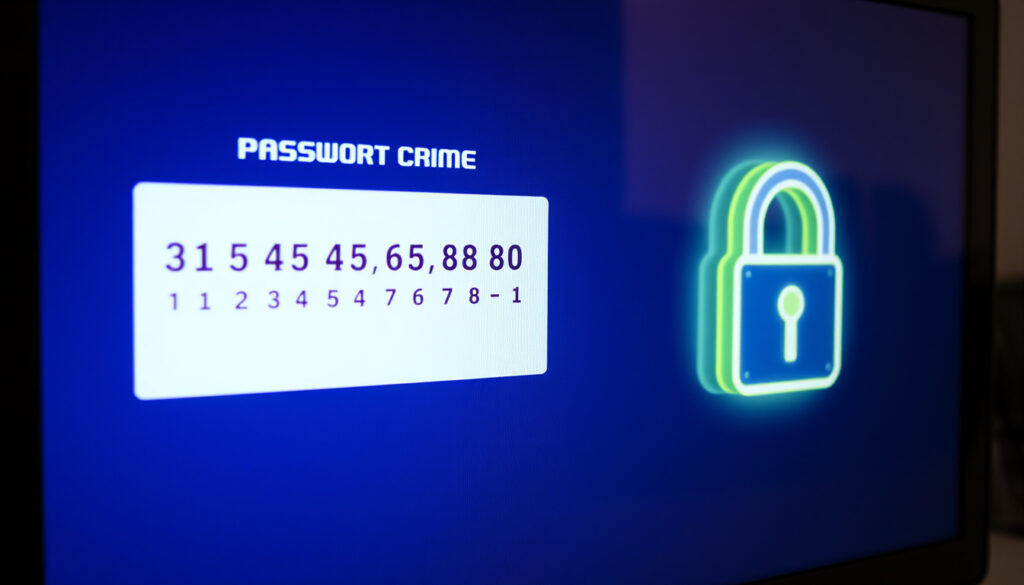
15-Character Password Generator: Create Strong Passwords
You know the drill: you need a new password, and the old trick of taking your dog’s name and a birthday isn’t cutting it anymore. A random 15-character password is the modern baseline for keeping your accounts safe, and this guide explains how to generate one securely and which free tools respect your privacy.
Recommended minimum password length by experts: 15 characters ·
Possibilities for a 15-character password with all character types: Over 10^29 ·
Time to crack a 15-character password with brute force (2009 estimates): Several million years ·
Percentage of data breaches involving weak or stolen passwords (Verizon 2023): 49%
Quick snapshot
- A password exactly 15 characters long (Bitwarden)
- Includes a mix of character types (NIST SP 800-63B)
- Considered the minimum recommended length by many experts (LastPass)
- Offers strong protection against brute force attacks (Avast)
- Exponential increase in entropy vs 12 characters (Avast)
- Current GPUs make 8-12 character passwords vulnerable (USENIX Security 2020)
- NIST and security firms endorse 15+ characters (NIST SP 800-63B)
- Balances security with usability (Bitwarden)
Here are key metrics for 15-character passwords that guide security decisions:
| Metric | Value |
|---|---|
| Recommended length by LastPass | At least 15 characters |
| Entropy of random 15-char password (all types) | ~98 bits |
| Time to exhaust 98-bit keyspace at 10^15 tries/sec | ~10^16 years |
| Typical number of character types | 4 (upper, lower, digits, symbols) |
| Popular free generators | LastPass, 1Password, Norton, RoboForm, Avast |
How do I create a secure 15-character password?
Use a random password generator
Generating a password by hand — picking a random word, swapping some letters for numbers — is surprisingly predictable. Humans are bad at randomness. A good password generator uses cryptographic entropy to produce output that no pattern, dictionary, or brute-force program can guess.
- Bitwarden (password manager with open-source foundations) offers a free generator that creates strong passwords and passphrases directly in your browser.
- 1Password (established password manager) describes its generator as strong, secure, and random — and generates the password locally on your device.
A password you invent yourself has around 20–30 bits of entropy. A truly random 15-character password with all character types has ~98 bits. The difference: the first can be cracked in minutes; the second would take longer than the age of the universe.
The implication: using a generator eliminates the human randomness flaw and guarantees maximum cryptographic strength.
Include lowercase, uppercase, numbers, and symbols
Each character type you add expands the pool of possible characters. Lowercase alone gives you 26 possibilities per character. Add uppercase (52), digits (62), and symbols (≈95). At 15 characters, the math shifts dramatically.
- NIST’s SP 800-63B guidance recommends a minimum of 15 characters for memorized secrets, and advises verifiers to compare new passwords against blocklists of commonly used passwords (NIST (U.S. National Institute of Standards and Technology)).
- Avast (consumer security firm) says its random password generator uses mathematical entropy to create passwords with numbers, letters, and symbols.
Avoid personal information and dictionary words
Even a long password built from a real word plus a couple of numbers is vulnerable. A USENIX Security 2020 paper found that some shorter generated passwords can be weak against both online and offline attacks (USENIX Security 2020 paper (academic conference on computer security)). The pattern is clear: human input undermines cryptographic strength.
Is a 15-character password strong enough?
Brute force resistance of 15 characters
A brute-force attack tries every possible combination. For a 15-character password using all 95 printable ASCII characters, the keyspace is 95^15 — roughly 4.6 × 10^29 possibilities. Even at a trillion guesses per second, an attacker would need billions of years to exhaust the space.
- NIST SP 800-63B (official U.S. government guidance on digital identity) sets the floor at 15 characters for memorized secrets.
- Avast (security software company) recommends at least 16 characters for optimal security.
Comparison to 12-character and 16-character passwords
Every extra character multiplies the keyspace by roughly 95x. 12 characters give ~54 bits of entropy — strong against casual attacks, but vulnerable to dedicated offline cracking using modern GPUs. At 15 characters, entropy jumps to ~98 bits. At 16, it exceeds 100 bits.
When 15 characters may not be enough
For high-value accounts — banking, email, admin panels, or anything with access to sensitive data — longer passwords add a safety buffer. Quantum computing could eventually reduce the effective strength, but for current threats, 15 characters is solid.
The trade-off: convenience vs. paranoia. For the average person’s email or social media, 15 characters with all types is more than adequate. For a CISO’s master password or a server root account, push to 20+.
What this means: length is the single biggest factor against brute force, and 15 characters currently sits at a strong balance between security and usability.
What is the best password generator for 15 characters?
LastPass Password Generator
LastPass offers a free online generator that lets you set exact length and character types. Their security team states a good password should be at least 15 characters, including lowercase, uppercase, numbers, and special characters (LastPass (password management company)). The generator runs client-side in the browser.
1Password Password Generator
1Password’s generator is built into its app and available as a standalone tool. It creates strong, random, and secure passwords with full length control. 1Password (password manager with zero-knowledge architecture) emphasizes that generation happens locally, never on their servers.
Norton Password Generator
Norton offers a free random password generator as part of its security suite. Norton (consumer cybersecurity brand under Gen Digital) describes it as a tool that generates random, unique, and secure passwords. You can customize length and include symbols.
Other reputable options
- ESET (European cybersecurity company) — runs entirely on the device; no sign-up or credit card required.
- Bitdefender (cybersecurity firm) — completely free with no hidden fees, subscriptions, or premium versions.
- Proton (Swiss privacy-focused company) — offers both a password generator and a passphrase generator.
The catch: any free online tool that doesn’t generate passwords in your browser (client-side) could theoretically log what you create. Stick with tools from established security brands — they have reputation to protect.
How do I generate a password with exactly 15 characters?
Follow these steps to create a 15-character password using any reputable generator:
- Setting length on a password generator. Most online generators have a slider or input field for length. Type “15” or drag to 15. F-Secure (Finnish cybersecurity company) offers a free strong password generator where you can set exact length.
- Selecting character types. Check all available boxes: uppercase, lowercase, numbers, symbols. This maximizes the pool of characters and thus entropy. Avast (consumer security firm) generates random, strong passwords instantly on the page with all character types enabled by default.
- Generating and saving the password. Click generate. Copy the password and save it immediately into your password manager. Dashlane (password manager) offers a password generator as part of its features, with one-click saving. Never paste a generated password into a document, email, or note — that defeats the purpose.
Why this matters: the moment you generate a password outside a password manager, you reintroduce human error — lost files, accidental shares, or plaintext storage. A password manager encrypts and syncs, so you never need to know or type the password manually.
Can I remember a 15-character password?
True random passwords are nearly impossible to memorize
A random 15-character string like “kL9#mQ2@pR7!xV5” is designed to be unguessable — and unmemorizable. That’s intentional. The security comes from the machine’s randomness, not your brain’s.
Using passphrases as a base
A passphrase (e.g., “correct-horse-battery-staple”) is easier to remember and can be quite long. However, a passphrase’s entropy is lower per character than a random string. Proton (Swiss privacy company) offers a passphrase generator as an alternative.
Password managers are the solution
The recommended approach is to let a password manager generate and store 15-character passwords for every site, while you remember only a single master password. LastPass (password management company) integrates generation and storage seamlessly, so you never see the individual passwords — you just click to log in.
You are not supposed to remember a 15-character password. The security model works precisely because nobody — not even you — can recall it. A password manager does the remembering; you do the authorizing.
The pattern: memorization is a vulnerability; delegation to a password manager is the only practical path for modern security.
Frequently asked questions
Can a 15-character password be hacked?
In theory, yes — any password can be hacked with enough time and computing power. In practice, a random 15-character password using all character types is resistant to all current brute-force and dictionary attacks. The keyspace of 95^15 makes it effectively uncrackable with today’s technology.
Is it safe to generate a 15-character password online?
Yes, if you use a generator from a reputable security company that runs entirely in your browser (client-side). ESET (cybersecurity company) confirms its generator runs on the device and does not store or transmit any data. Avoid unknown sites that might log generated passwords.
What is an example of a strong 15-character password?
A strong example would be: mN8#kL2@pR7!xV5. This uses uppercase, lowercase, numbers, and symbols. Do not use this example — generate your own using a trusted password generator.
Should I use a password manager for my passwords?
Yes. A password manager is the only practical way to handle unique 15-character passwords for every account. Bitwarden (open-source password manager), Dashlane (password manager with security features), and 1Password (zero-knowledge password manager) are widely trusted options.
How often should I change my 15-character password?
Current best practice is to change passwords only when a breach has been disclosed that affects your account. If you use a unique, random 15-character password per site, there’s no need for routine changes. Rely on breach monitoring services instead.
Confirmed facts
- A 15-character random password is resistant to current brute force attacks
- Password manager tools from major brands are safe for generating passwords
- Including all character types maximizes password strength
What’s unclear
- The exact timeline for when 15 characters will become insecure due to quantum computing
- Whether any free online generator logs generated passwords (trust is based on reputation)
- Whether 15 characters will remain secure against future quantum or GPU advances
A good password should be made up at least 15 characters, including lowercase letters, uppercase letters, numbers, and special characters.
— LastPass security team (LastPass Security Team)
When you generate a random password, ensure it is at least 16 characters long to resist brute-force attacks.
— Avast security team (Avast Security Team)
Also see: How to Use ChatGPT Effectively and How to Fix Slow DNS Lookup.
More related posts
 How Old Was Elvis When He Died? Age, Cause, and Final Days
 FIFA 26 Release Date: Early Access, Editions & Pricing
 Can Dogs Eat Celery? Vet-Approved Safety & Serving Guide
 Free Reverse Phone Lookup Tools That Actually Work
 Drug Store Near Me: Find Pharmacies in Ireland and UK
 How Many Inches is 5 Feet – Precise Conversion Guide
 What Is a Meme Stock? Definition, Examples, and Risks
 Panthers vs Packers Player Stats: 2025 Week 9